
From signal to signed report.

Clinical software for home sleep testing.

Neurodiagnostics since 1969.

Neurovirtual has built sleep diagnostic systems for clinics and labs for more than five decades. Neurovirtual Cloud brings home sleep testing into one clinical record.

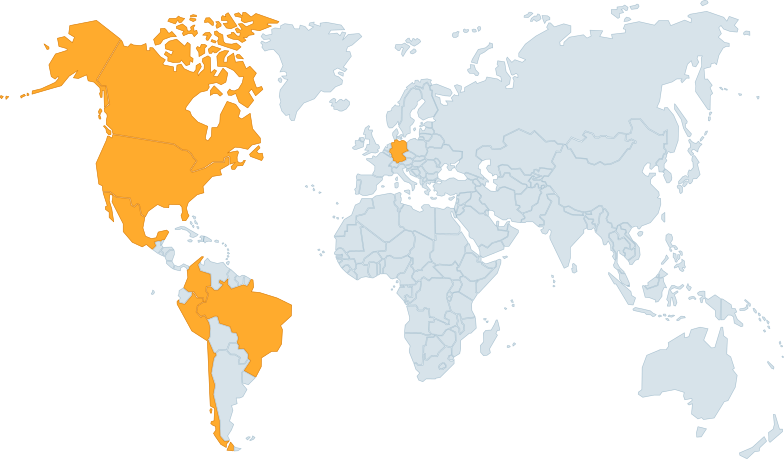
Devices in 175+ countries

World map with the Neurovirtual office countries highlighted
Countries in blue have Neurovirtual offices: Canada, the United States, Mexico, Colombia, Peru, Chile, Brazil, and Germany.

One record. From patient to report.

Every home sleep test follows one documented path. The patient, HST Compass, recording, scoring, and report stay connected.

  1. 1

    Patient

    Find or create the patient on the Patients page, with demographics, contact, and insurance details.

  2. 2

    Prepare

    Start an HST study and check out an HST Compass to the patient. The study waits for its recording.

  3. 3

    Import

    When the Compass comes back, Bridge uploads its recording straight to that patient's study.

  4. 4

    Review

    Review the full night in the browser, with automatic scoring, SpO₂ trends, and editable events.

  5. 5

    Report

    Preview the report from your clinic's template, then create the PDF or Word file. It stays with the study.

Neurovirtual Cloud at work.

Follow one home sleep test: the patient record, the HST Compass checked out for it, then the scored overnight recording.

Patients

Find the patient, check demographics, and open the home sleep tests linked to the record.

  • IT and compliance Clinic isolation with a record of access Each clinic has its own environment, role-based access, and an audit trail for compliance review.
Loading the patient record…

Equipment

Check an HST Compass out to a patient when the study starts. When it comes back, the recording is matched to that patient's study by the device serial, and the return makes it available for the next patient.

  • Clinic operations One picture of the clinic See patients, devices, and study status without stitching together spreadsheets.

Loading the equipment list…

Wave viewer

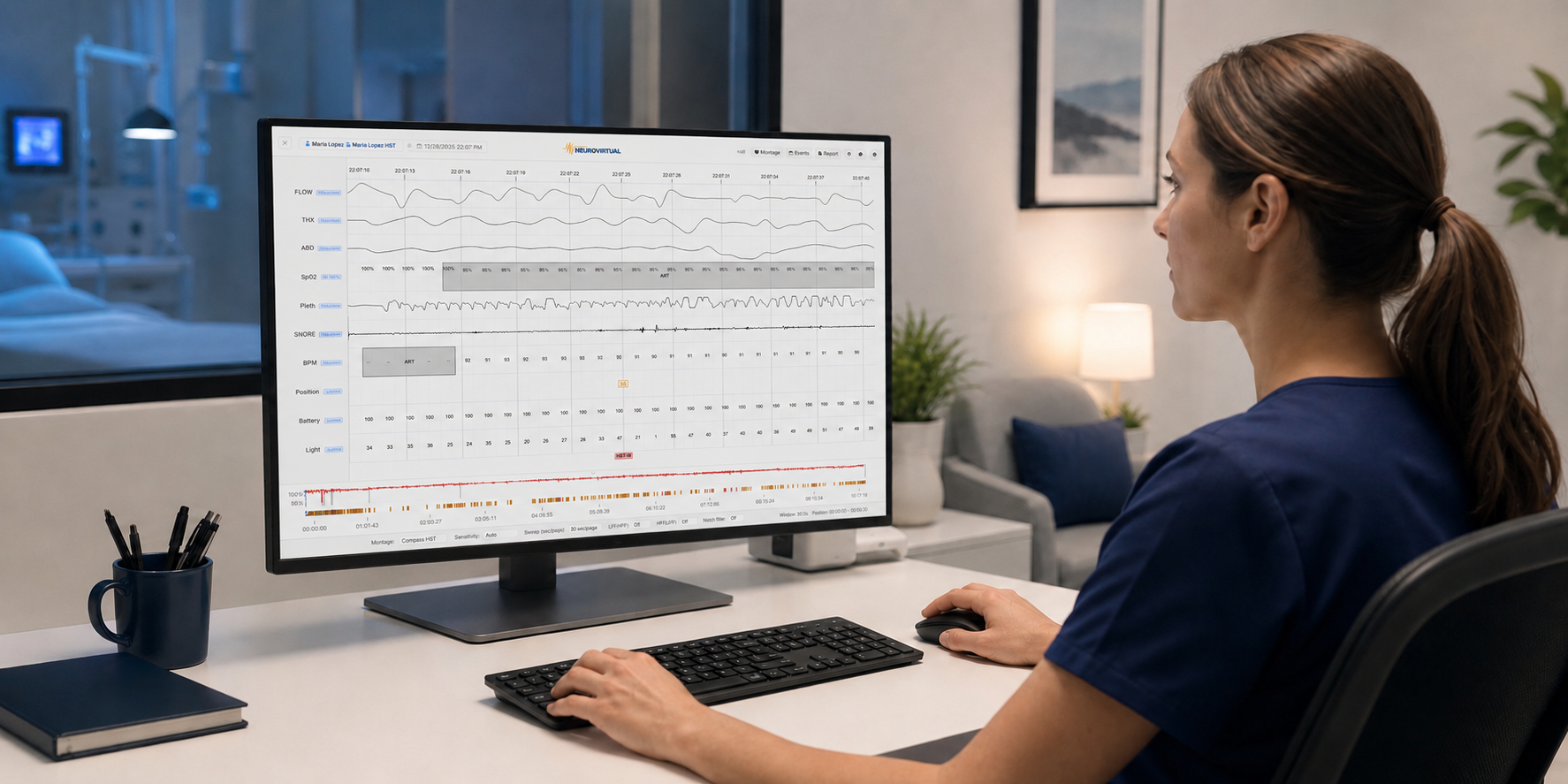
Review airflow, effort, snore, SpO₂, and pulse with the automatically scored events. Change the sweep to see more or less of the recording on each page.

  • Sleep technologists Less context switching Imports, scoring review, and event edits stay on the patient record instead of separate folders and spreadsheets.
  • Reading physicians Review from the study, not a folder Open the study with waveforms, scoring marks, calculated metrics, and patient context together.

Loading the HST recording…

Patient names, records, and equipment are fictional. The waveforms are one deidentified hour of a real HST Compass recording, scored by the default HST algorithms.

The recording goes straight from the device to the cloud.

Recordings from the HST Compass import as reviewable studies with full signals, automatic scoring, calculated metrics, and reporting in the same record.

  1. Record
  2. Import
  3. Review
  4. Report

Import from any clinic computer. No dedicated upload station is required.

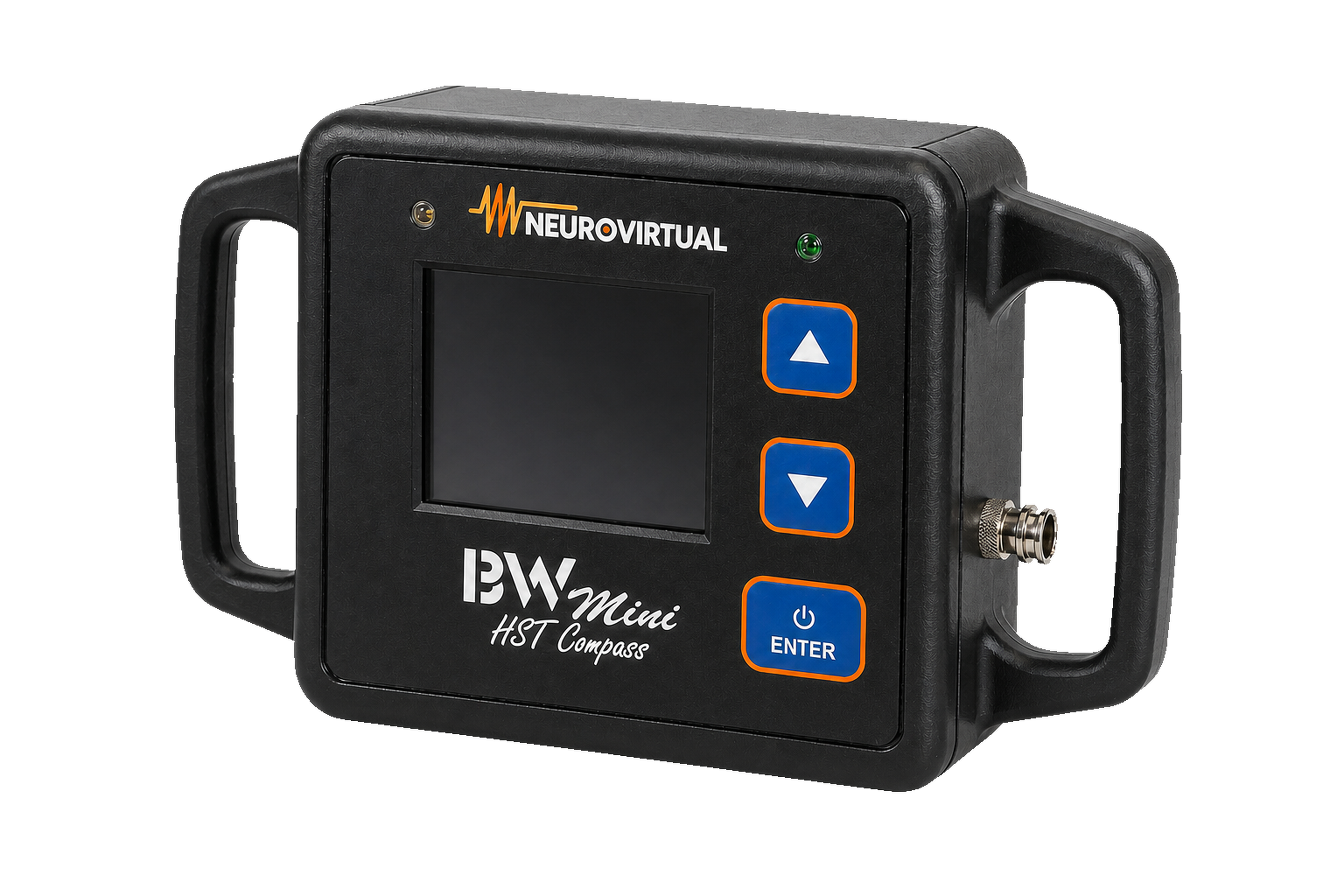
HST Compass home sleep testing device, angled view
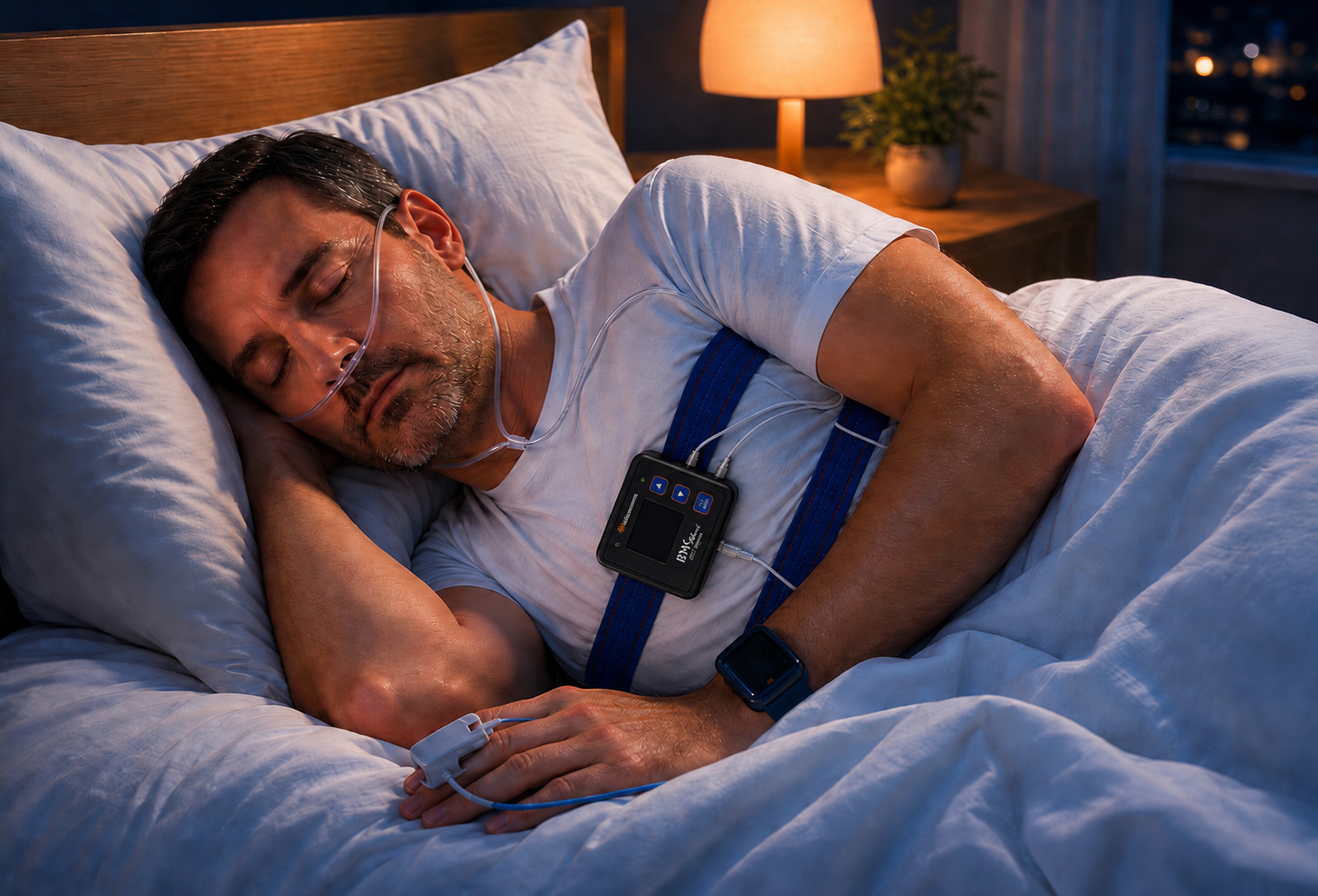
Patient sleeping at home during an overnight home sleep test

Studies happen where patients actually sleep.

The HST Compass goes home with the patient. The next morning, a technologist connects it to a clinic computer and the recording imports to the patient's record.

Sleep technologist reviewing a study waveform at a clinic workstation

Scoring stays in the browser. The report stays in the record.

Technologists review and score the study in the browser. Reports are created from the same study and stay with it.

A report built from the reviewed study.

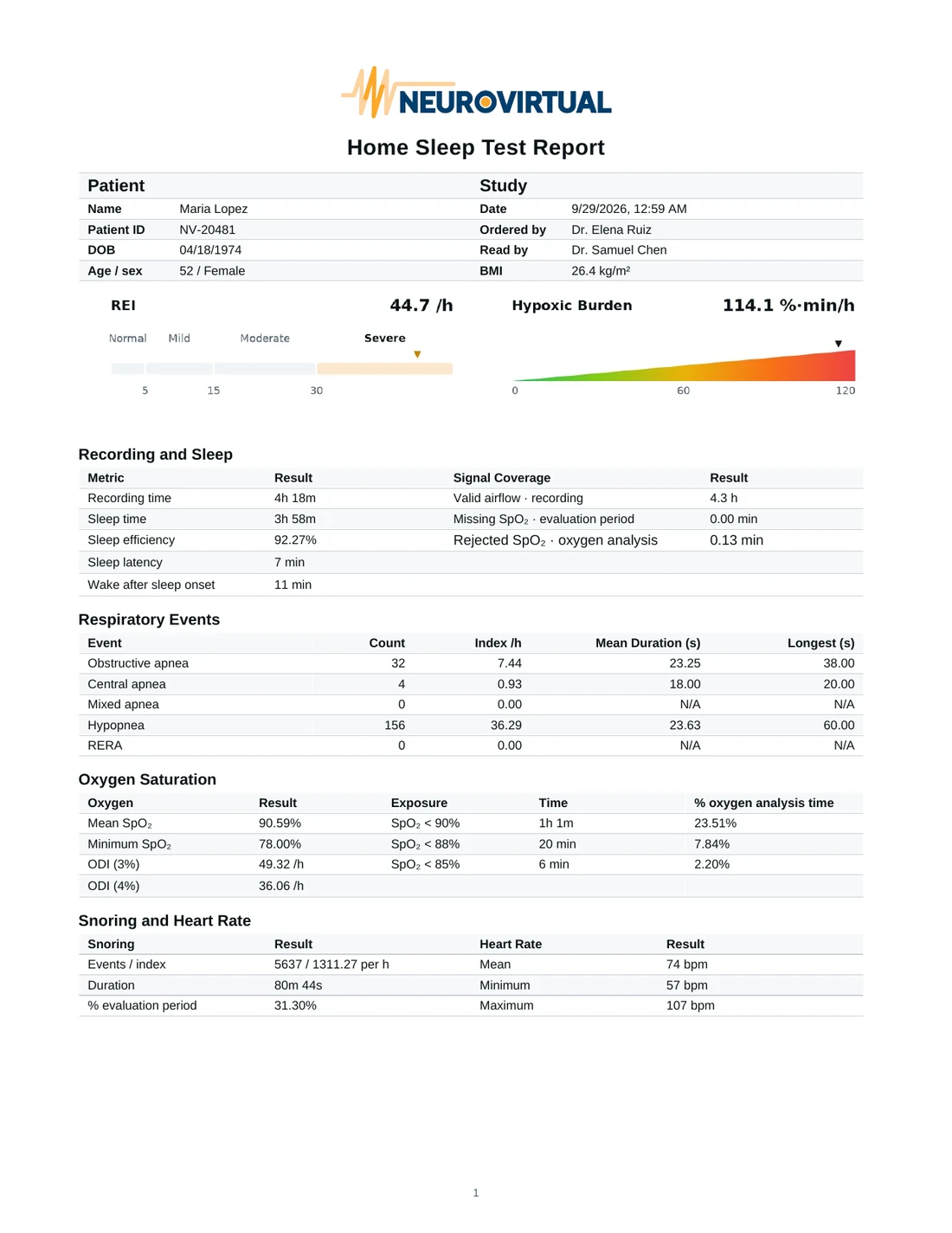
Neurovirtual Cloud fills your clinic's Word template with the patient, the scored study, and its evaluation, then creates a PDF and Word file that stay with the study.

  • Patient and study Name, ID, date of birth, age and sex, BMI, ordering and reading physicians
  • Respiratory results REI with severity, hypoxic burden, and each event type's count, index, and duration
  • Oxygen, snoring, and heart rate Mean and minimum SpO₂, time under 90%, ODI, snoring, and heart rate
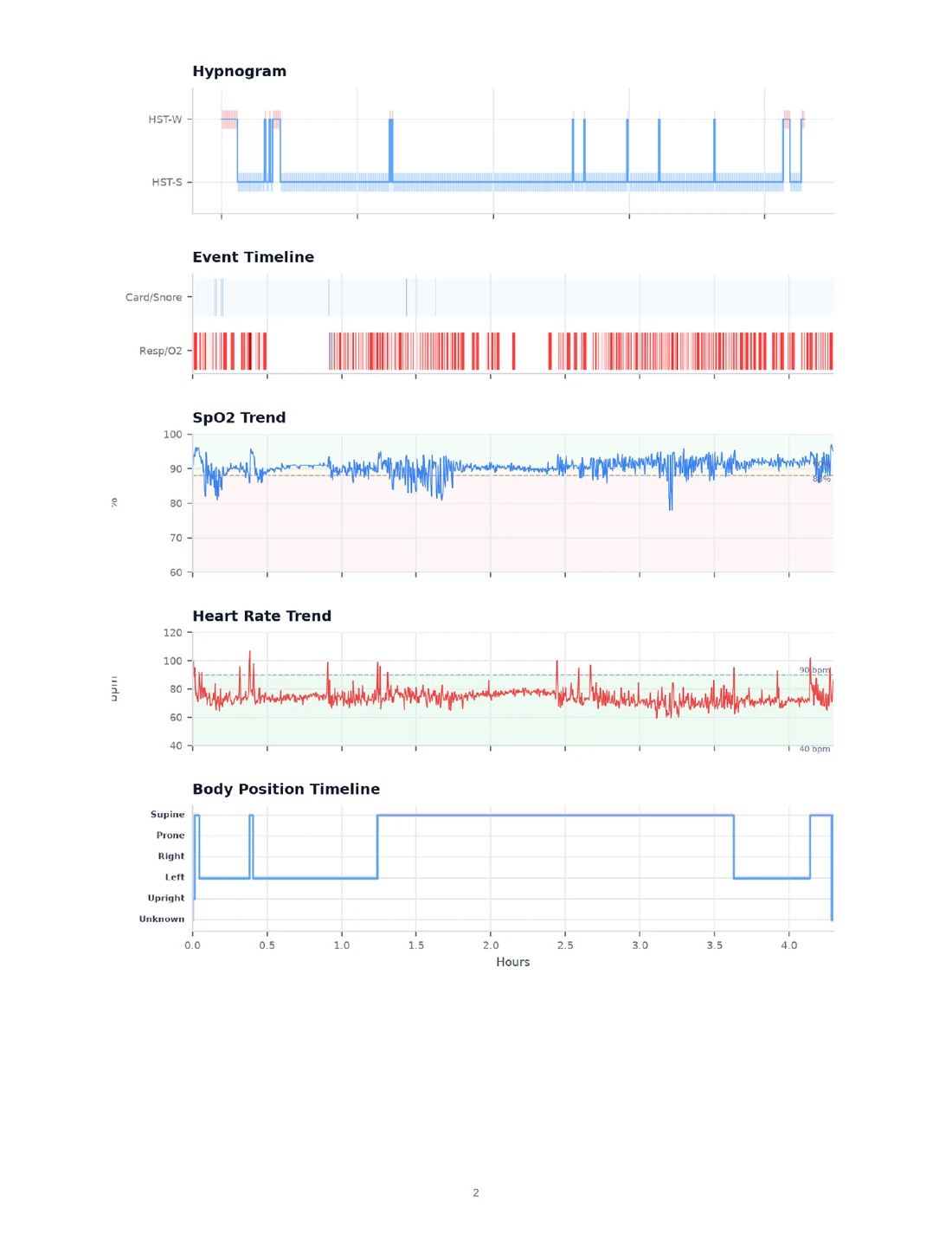
  • Full-night charts Hypnogram, event timeline, SpO₂ and heart-rate trends, and body position
Request demo
First page of a Neurovirtual Cloud home sleep test report for the fictional patient Maria Lopez, with REI and hypoxic burden gauges and result tables
The bundled HST report template, created from the full night of the recording above. Patient details are fictional. Open the PDF

What IT and compliance teams can verify.

Each clinic is isolated. Access follows staff roles, and imports, scoring, edits, reports, and study opens are recorded.

Isolated per clinic

Each clinic runs in its own environment. Patient data stays within that clinic boundary.

Role-based access

Technologists, reading physicians, administrators, and IT see the access their role requires.

Built for interrupted connections

Bridge keeps recording transfers in a queue, retries failed uploads, and can pause and resume them when the network drops.

Complete audit trail

Imports, study opens, scoring, edits, and reports are timestamped in an immutable history for compliance review.

Bring one of your clinic workflows.

In a demo, bring your home sleep testing workflow. We will walk it from device return through the signed report using your clinic's roles and handoffs.

Request demo